


Many AI applications rely on Model-as-a-Service (MaaS) like OpenAI, Gemini, Claude, etc.
Based on where the inference compute happens relative to the data, we can categorize AI application topology into 3 groups:
Cloud AI: Centralizes model hosting and orchestration behind an API (e.g., OpenAI, Anthropic). This offers maximum capability but introduces latency, costs, and data privacy concerns.
Edge AI: An architectural strategy that moves computation away from centralized data centers and closer to the users and source of data. This includes local servers (e.g., a gateway server in an office) and on-premise infrastructure.
Local AI: Also known as on-device AI is a subset of Edge AI where models run directly on the user’s client hardware (laptop, phone, embedded device). This is the “ultimate edge,” offering zero latency and air-gaped privacy.
There is also a Hybrid AI which combines the cloud and edge:
Some simpler AI features run at the Edge (e.g. background removal or speech detection)
The more sophisticated AI features that require larger models or proprietary models, data or tools run remotely (e.g. video transcription)
Cloud AI
AI companies invest billions to build bigger and faster data centers to run larger models while doing their best to keep the secret sauce (prompts, data, tools) private.
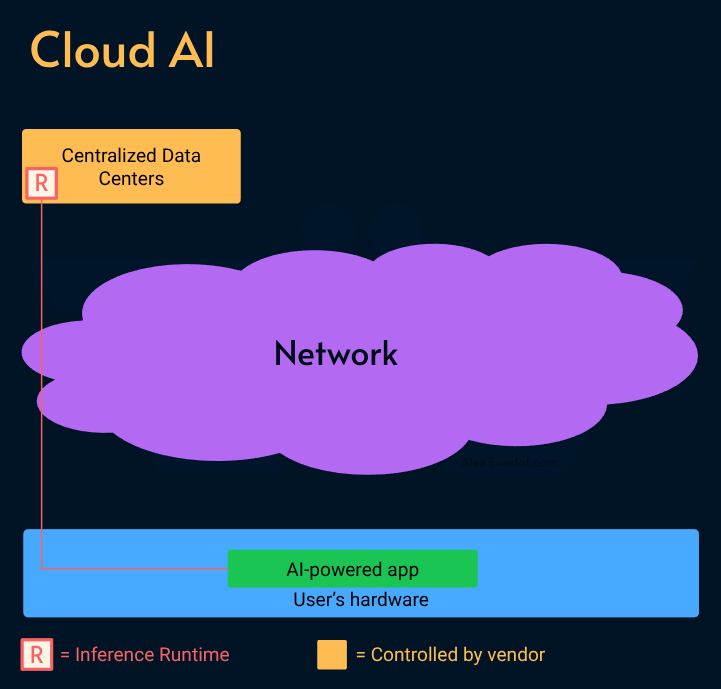
In that sense, MaaS providers act like a SaaS product (e.g. Google Docs) as opposed to local apps (e.g. LibreOffice).
While this enables access using cheaper hardware (e.g. Chromebooks), there are many downsides:
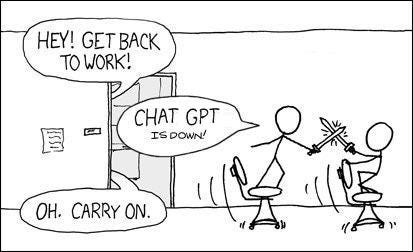
The centralized model often leads to a single point of failure. As AI penetrates our workflows, the financial consequences of downtime increases.
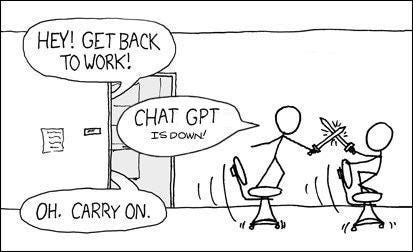
Your data travels over the internet hence your experience is impacted by the quality of your connection, capacity of the AI provider (e.g. ChatGPT outage) and whether they’re going through DDoS.
You have to pay a subscription fee to use these AI tools.
You are limited by what the AI vendor offers you: some don’t allow tools, many refuse to execute requests they [sometimes falsely] deem outside policy, and overall you don’t have access to all the buttons and gauges to customize it for your use cases and needs.
But most importantly, your questions, thoughts, and data are stored remotely which introduces several risks:
Legal surveillance: Tech giants like Google and Microsoft are bound by regulations like Patriot Act to grants access to intelligence agencies.
Training: you may not look at your chats or pictures as particularly valuable or private, but don’t be surprised when your data is fed to AI (this is what Meta is willing to put on their site) effectively building a digital profile of you that may [mistakenly] work against you.
Illegal access: like SolarWinds hack or WannaCry ransomware
Carelessness: like this one exposing 170M people in the US & UK, or that one impacting 182 million in US & UK or the other one exposing 1.5 million Swedes. There are a whole bunch of them. 🥲
Edge AI
In simple terms, Edge AI runs closer to the users. It can be either on-premises under the control and responsibility of the provider or on-device (also known as Local AI).
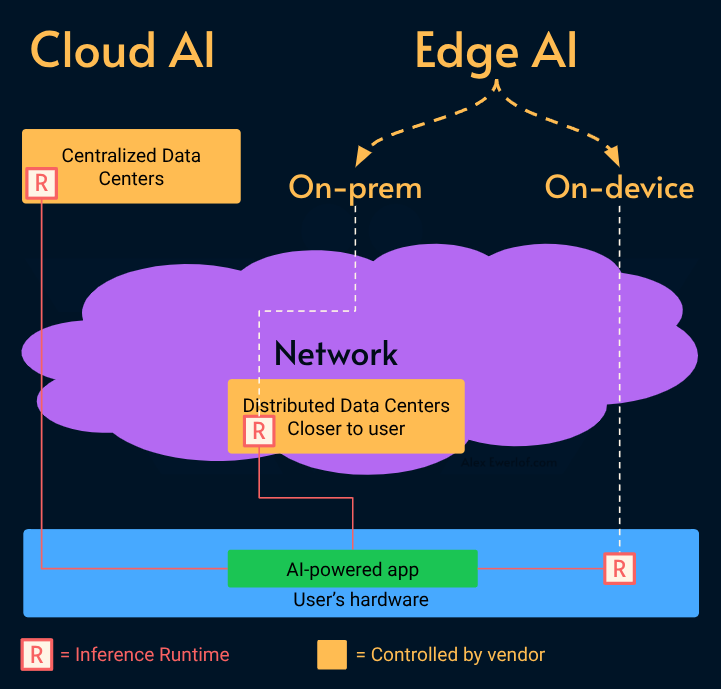
Edge AI has several benefits:
Speed: the models can run closer to the users reducing the latency and improving the responsiveness.
Decoupled availability: you’re not at the mercy of an external MaaS provider and their SLA although running a solid Edge AI service requires technical knowledge but its availability is usually decoupled from external providers.
On-device AI in particular pushes the advantages of Edge AI to the next level:
Works offline: requires zero network connectivity after the initial model download. Because the inference happens on the local hardware. It is resilient to internet outages, API downtime, and local network congestion but its capabilities are usually more limited due to hardware constraints.
No network latency: although the processing may be slower depending on the hardware.
Unlimited inference: it runs on your hardware. No subscription required! You still have to pay for electricity and an upfront cost for a capable machine but it may still worth it due to the killer factor below.
Privacy: your data (e.g. pictures, audio, chats, files) doesn’t leave your machine. You control what happens to your data, its retention, and faith!
On-prem AI also has its own advantages:
Efficiency: the same hardware can be utilized for multiple users.
Compliance: if the on-perm machine is controlled by the company where the end users work, it is easier to control the data, retention, and audit. For heavily regulated industries like finance, healthcare, and military, this might be the only viable option due to compliance alone.
Edge AI has some challenges too:
Higher initial hardware cost: computers that can run AI workload are still more pricey. Apart from NVIDIA GPUs and Apple Silicon processors, several other manufacturers have made CPU, GPU, and NPU (neural processing units) namely Intel Core Ultra, AMD Ryzen AI, and Snapdragon X Elite. You can get away with a Jetson Orin Nano Super or even a second hand Mac Mini M4. VRAM (graphic card memory) is the primary bottleneck: available memory bandwidth and capacity directly dictate the maximum model size and quantization level (e.g., Q4 vs FP16) feasible for inference.
Quality: generally, the larger the model and its training data, the more capable it is. Besides the Cloud AI vendors have full control over their model runtime, available tools and hardware optimization.
Cold-start: unlike Cloud AI which has the model already loaded and warmed up, Edge AI may first needs to load the model to your CPU, GPU, or NPU and although tools like llama-cpp or vLLM automate this process behind the scene, it still can take anywhere from a few seconds to minutes (depending on the size of the model and hardware capabilities).
Discrepancy: if you’re developing an on-device AI application, you cannot always rely on all users having powerful hardware. Some users may have such a poor experience (sub 20 tok/sec) that makes your app practically useless.
Moat vs Openness
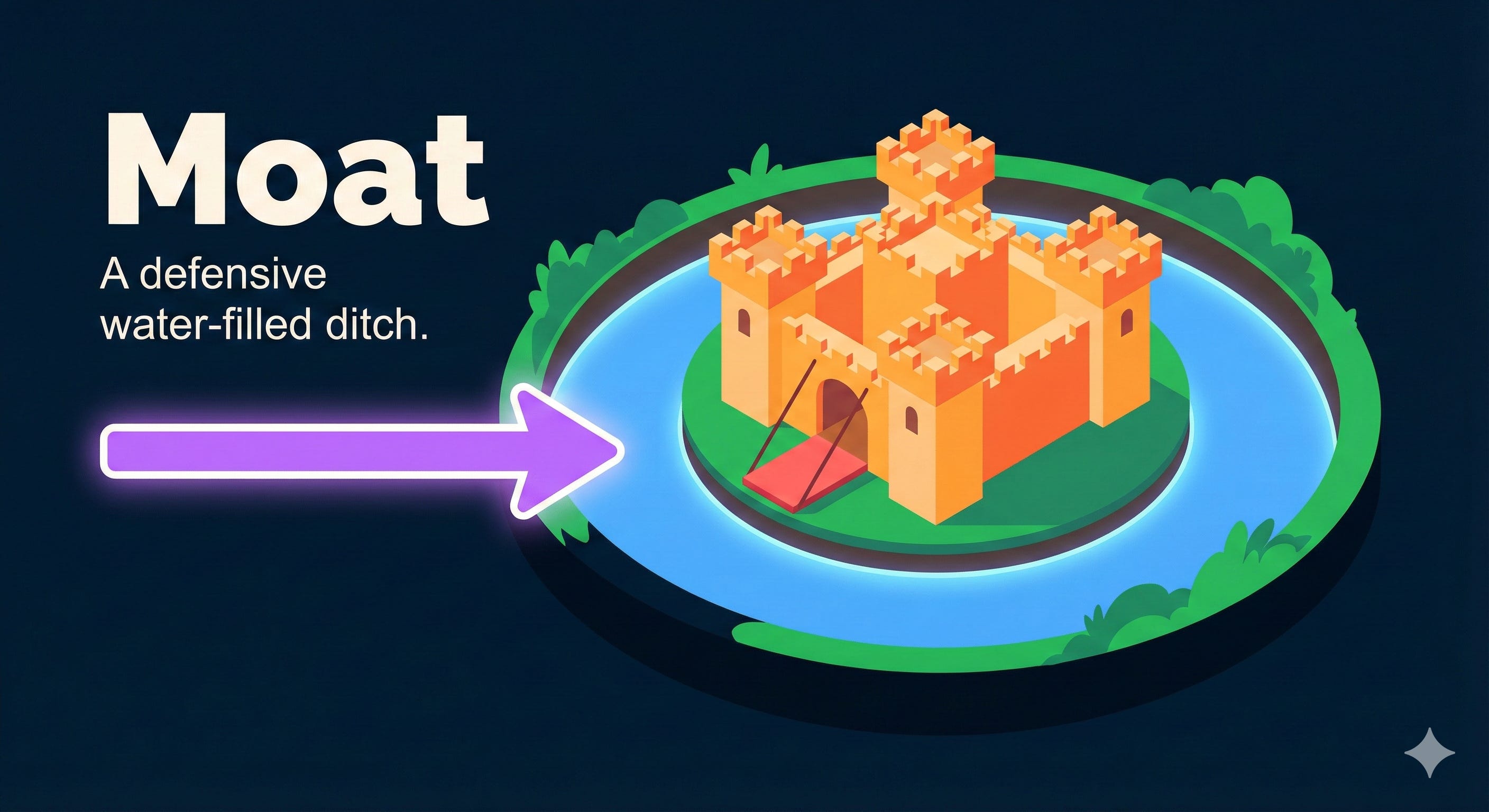
While MaaS vendors try to create a business moat by hiding their secret sauce (optimizations, architecture, training data, etc.) and investing heavily on hardware and data centers or literally begging regulations, there is a raise of strong alternatives:
Open source runtimes like vLLM, Ollama, LLaMA C++, WebLLM, and transformers.js
Open weight models like Meta Llama and DeepSeek (often shared on Huggingface, which is the equivalent of Github for models)
Note: Open Weights (e.g., Llama 3) models don’t necessarily include the training data or recipes required for the Open Source Initiative (OSI) definition.
The open weight models are often smaller and less capable but can run on cheaper or even consumer grade hardware.
Even Cloud AI vendors have released some open weight models (Google Gemma, OpenAI GPT OSS) and runtimes (Google LiteRT).
LLM vs SLM
When it comes to language models, the model size has an important impact on the performance.
LLM: Large Language Models have tens of billions of parameters, require expensive hardware to run, and are generalists trained on vast amount of data
SLM: Small Language Models have a few millions to billions of parameters (anywhere from 270M to over 60GB), can run on consumer grade hardware, and are specialists trained on smaller data sets.
Edge AI, particularly the on-device implementation tends to use SLMs.
SLMs might be small but their capabilities are increasing thanks to optimizations like:
Quantization: Compressing model weights by reducing precision (e.g., FP16 to INT4). This significantly lowers VRAM usage and memory bandwidth bottlenecks, often with negligible loss in inference quality. Modern quantization (like MLX for apple or GGUF for llama-cpp) often retain 95-99% of the original model’s performance while reducing size by 50-75%.
Knowledge Distillation: Training compact models on the outputs of frontier LLMs, allows them to punch above their weight class by approximating the “teacher” model’s reasoning.
MoE (Mixture of Experts): activating only a subset of parameters (experts) relevant to the current token, decoupling inference cost from total parameter count.
RAG (Retrieval-Augmented Generation): While useful for all models, RAG is critical for SLMs. It mitigates their limited training data and smaller context window by injecting relevant facts directly into the context window, allowing the SLM to function like a capable LLM without the vast factual recall of a larger model.
Flow engineering: combining multiple specialist SLMs in a well composed workflow can surpass the performance of a raw generic LLM with poor architecture around it.
SLMs align with the Unix philosophy: deploying specialized, interoperable models composed into a pipeline often yields better reliability and maintainability than a single monolithic LLM.
My monetization strategy is to give away most content for free but these posts take anywhere from a few hours to a few days to draft, edit, research, illustrate, and publish. I pull these hours from my private time, vacation days and weekends. The simplest way to support this work is to like, subscribe and share it. If you really want to support me lifting our community, you can consider a paid subscription. If you want to save, you can get 20% off via this link. As a token of appreciation, subscribers get full access to the Pro-Tips sections and my online book Reliability Engineering Mindset. Your contribution also funds my open-source products like Service Level Calculator. You can also invite your friends to gain free access.
And to those of you who support me already, thank you for sponsoring this content for the others. 🙌 If you have questions or feedback, or you want me to dig deeper into something, please let me know in the comments.